
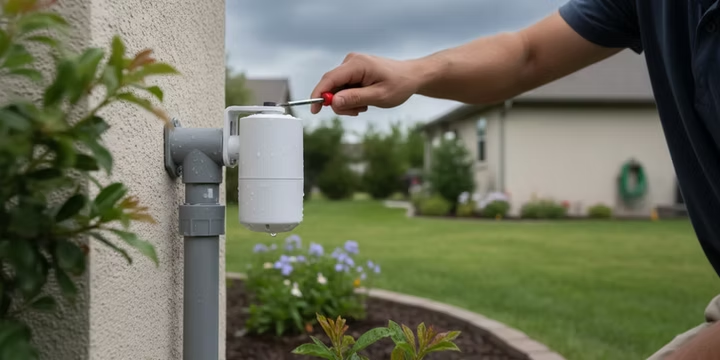
Sprinklers running during a downpour is one of those things that makes every neighbor cringe. It wastes water, wastes money, and can actually damage your lawn by overwatering. The fix is simple: install a rain sensor.
A proper rain sensor installation connects a small device to your irrigation controller, telling the system to pause when nature handles the watering. Rain Bird reports that a rain shutoff sensor can cut irrigation water use by up to 35%. In one real world example, skipping a single watering cycle on a half acre lawn after heavy rain saved roughly 13,576 gallons. With many states and municipalities now requiring rain sensors on new automatic systems, this upgrade is both practical and increasingly mandatory.
To push water savings even further, consider pairing a rain sensor with smart irrigation systems that adjust watering based on weather forecasts and soil conditions.
If you’re in the Lubbock or West Texas area and want a professional to handle the whole job, you can schedule a sensor install with a licensed irrigation team.
Where to Mount a Rain Sensor: Placement and Height
Where you put the sensor matters just as much as how you wire it. Getting placement right is a critical first step in any rain sensor installation, because the goal is a location that experiences the same rainfall your lawn does, without obstruction.
Ideal Mounting Spots
The best placement is high up in an open area. Roof eaves, fence tops, and gutter edges all work well. The key rules:
- Mount in a spot fully exposed to open sky, away from roof overhangs, awnings, and tree canopy that could block or redirect rain
- Keep the sensor out of sprinkler spray paths, which would trick it into thinking it rained
- For wireless models, choose a location with a clear line of sight to the indoor receiver module
- Mount at a height of at least 4 to 6 feet to avoid splash back from the ground
Practitioners on Reddit frequently mention that mounting too close to a wall or under a soffit overhang is the number one reason sensors fail to trigger properly. One homeowner shared that moving his sensor just 18 inches further out from the eave fixed years of inconsistent readings.
Why You Must Mount the Sensor Plumb and Upright
Installation manuals always say “mount it plumb and upright.” This means perfectly straight and vertical. A tilted sensor won’t collect rain the way it was designed to. The internal mechanisms (whether hygroscopic disks or tipping bucket) are calibrated for a level position. Any angle causes water to drain off too quickly or pool unevenly, producing false readings. Think of it this way: an upright sensor “sees” rain exactly like your lawn does.
A Deep Dive into Rain Sensor Wiring
Connecting the sensor to your irrigation controller is the core of the rain sensor installation process. The concept is straightforward once you understand a few basics.
Understanding the Basics
A standard wired rain sensor is just a switch. It has two wires that complete or break an electrical circuit. When the sensor is dry, the switch is closed and the sprinkler system runs normally. When it gets wet, the switch opens, interrupting the circuit and telling the controller to pause. Because it’s a simple switch, the two wires typically have no polarity, so it doesn’t matter which wire goes to which terminal.
If you run into broader wiring issues during installation, this sprinkler system wire repair guide covers diagnostics and fixes.
Rain Sensor Terminal Connections: S1, S2, and C
Most modern controllers label their sensor terminals as S1 and S2, or simply SEN and SEN. Some older models use S and C (common). Regardless of labeling, the function is the same: these two terminals accept the rain sensor’s switch wires.
Here’s the typical connection process:
- Locate the sensor terminals on your controller. They might be labeled SEN, S1/S2, or SENSOR.
- Remove the factory jumper wire or metal tab bridging the two terminals. This jumper keeps the circuit closed when no sensor is present. Without removing it, your sensor will have no effect.
- Attach the two sensor wires to the two terminals. Again, polarity doesn’t matter for a standard normally closed sensor.
Critical Rule: What the Sensor Terminals Are NOT For
This trips up a lot of DIYers. The sensor terminals (S1/S2 or SEN) are exclusively for the rain sensor’s switch circuit. They are not for connecting valve common wires and not for supplying power to anything. Connecting a valve common wire to a sensor terminal will bypass the rain sensor entirely, meaning the system will water regardless of rainfall. Connecting power wires to sensor terminals can damage the controller or the sensor.
The simple rule: sensor terminals accept only the two wires from your rain sensor (or from the wireless receiver’s sensor output). Everything else goes elsewhere on the terminal block.
Going Wireless: Wireless Rain Sensor Wiring
A wireless rain sensor installation eliminates running cable from the outdoor sensor to the indoor controller. The outdoor unit contains a battery powered transmitter. The indoor receiver module plugs into the controller.
A typical wireless receiver has two sets of wires:
- Power wires (often red and black) that connect to the controller’s 24 VAC terminals for electricity
- Sensor switch wires (often green and brown, or yellow and blue) that connect to the SEN or S1/S2 terminals, functioning identically to a wired sensor
The 24 VAC terminals provide low voltage alternating current to power the controller and its accessories. The SEN terminals are the decision circuit. Don’t mix them up.
Pairing a Wireless Rain Sensor with Its Receiver
Most wireless rain sensors pair automatically once the receiver is powered. But some models require a manual sync step:
- Power on the receiver by connecting it to the 24 VAC terminals
- Press and hold the pairing or sync button on the receiver (consult your model’s manual for the exact sequence)
- Activate the outdoor sensor’s transmitter, often by pressing a button or inserting the battery
- A solid LED on the receiver confirms successful pairing
If the LED blinks or stays off, move the outdoor sensor closer temporarily to rule out signal range issues. Walls, metal siding, and large appliances between transmitter and receiver can weaken the signal.
Brand Specific Wiring: Rain Bird, Hunter, Irritrol, and Orbit
The underlying principle is identical across brands, but wire colors and terminal labels differ. Always follow the diagram included with your specific sensor. Here’s a quick reference:
For a detailed Rain Bird walkthrough, check the Rain Bird rain sensor installation guide.
Rain Bird WR2 wiring detail: The WR2 receiver has four wires. Red and black connect to the two 24 VAC terminals on your controller (order doesn’t matter since it’s AC). Green and brown connect to the SEN terminals after removing the jumper. One YouTube installer walkthrough noted that the most common WR2 mistake is connecting the green/brown wires to 24 VAC instead of SEN, which powers nothing useful and leaves the sensor nonfunctional.
Hunter Clik wiring detail: Hunter’s wired Clik sensors use two blue wires that go directly to the sensor terminals. Hunter’s own documentation confirms their controllers work with any generic normally closed sensor, not just Hunter branded ones. For wireless Hunter Clik models, the receiver installs identically to the Rain Bird WR2 concept: power wires to 24 VAC, sensor wires to SEN.
Irritrol RS1000 wiring detail: The RS1000 is a wired hygroscopic disk sensor. Its two lead wires connect to the sensor terminals on any standard 24V controller. Irritrol’s documentation notes that the RS1000 is compatible with virtually all residential irrigation controllers that accept normally closed sensor inputs.
Orbit rain sensor wiring: Orbit sensors follow the same two wire, normally closed convention. On Orbit’s own controllers, the terminals are sometimes labeled “Rain Sensor” rather than SEN, but the function is identical. Remove the jumper, attach both wires.
Setting Up: Activation, Thresholds, and Schedules
Wiring is only half the job. Completing your rain sensor installation means configuring the controller to actually use the sensor.
Enable the Sensor in Your Controller or App
Many modern smart controllers (Hunter Hydrawise, Rain Bird ESP series, and others) require you to digitally enable the rain sensor in their app or control panel. Skip this step and the controller ignores the sensor entirely, watering right through a storm.
The setting is usually found under “Sensors,” “Device Settings,” or “Weather” in the app menu. Older controllers often have a physical switch labeled “Active” or “Bypass” that needs to be flipped to “Active.”
If you’re connecting to a Wi-Fi controller for the first time, the ESP ME Wi-Fi setup guide covers common connection issues.
Set the Rainfall Threshold
Most rain sensors have an adjustable rainfall threshold, typically ranging from 1/8 inch to 1 inch. This tells the sensor how much rain must fall before it shuts down the sprinklers.
For most lawns, 1/4 inch is the recommended starting point. Here’s why: a quarter inch of rain delivers roughly 156 gallons per 1,000 square feet of lawn, which is enough to meaningfully supplement your scheduled irrigation. Setting the threshold lower (1/8 inch) means the sensor triggers on light drizzle that barely wets the surface. Setting it higher (3/4 inch or more) means the sensor only reacts to heavy downpours, missing moderate rain events where skipping a cycle still makes sense.
To adjust the threshold, look for a dial, adjustment screw, or slider on the sensor body itself. On the Rain Bird WR2, for example, you turn a small dial on the outdoor unit. On Hunter Clik models, you swap or stack different sizes of hygroscopic disks, or adjust a vent ring that controls drying speed. The Florida Water Star program recommends 1/4 inch as the default for most residential applications, and most manufacturer manuals agree.
In West Texas, where rain events tend to be brief but intense, 1/4 inch works well. The rain comes fast enough to trigger the sensor, and the dry heat means disks dry out within hours so the system resumes on schedule.
Using the Rain Sensor in Schedules to Skip Watering
Once enabled, the rain sensor works automatically with every programmed schedule. When the sensor is wet (circuit open), the controller skips the next scheduled watering cycle. When the sensor dries out, normal scheduling resumes.
A few things to understand:
- The sensor overrides all zones simultaneously. If it’s raining, no zone will run.
- Most controllers display a “Rain Sensor Active” or “Sensor Skip” indicator when the sensor has paused watering. Check your controller’s display or app dashboard to confirm.
- Manual zone starts typically bypass the rain sensor. If you manually start a zone from the controller panel, many systems will run it regardless of sensor status. This is intentional, allowing you to test or water a specific area when needed.
- Some advanced controllers let you exempt specific zones from the rain sensor (useful for newly seeded areas that need consistent moisture regardless of rain).
For broader scheduling and seasonal adjustment tips, the seasonal maintenance checklist covers runtime programming alongside sensor use.
Viewing and Testing Rain Sensor Status
Before trusting the sensor through an entire season, verify it’s working.
Checking status in the interface: On Wi-Fi controllers like the Hunter Hydrawise app, navigate to the dashboard or sensor status screen. It should show “Sensor: Active” or “Sensor: OK” when the sensor is dry, and “Sensor: Activated” or “Rain Detected” when wet. Rain Bird’s app shows a rain icon or “Rain Delay” status. If the interface shows no sensor detected, recheck your wiring and confirm the sensor is enabled in settings.
Manual testing procedure:
- Start any sprinkler zone manually from the controller
- While it’s running, press the test button or plunger on top of the sensor, or slowly pour water over it to simulate rain
- Within a few moments, the sprinklers should shut off. Disk style sensors may take a minute or two as the material absorbs water and expands
- Confirm the controller display or app shows the sensor has triggered
Test at least once a year, ideally during spring startup. The sprinkler system startup guide walks through the full seasonal process. If the controller won’t respond to the sensor at all, the issue may be deeper. The irrigation controller repair guide covers diagnostics for unresponsive controllers.
Code Requirements: Is a Rain Sensor Legally Required?
In many parts of the United States, the answer is yes. Multiple states, including Florida, Texas, New Jersey, Connecticut, and Minnesota, have laws requiring rain sensors or equivalent weather based shutoff devices on automatic irrigation systems. Florida’s statute (F.S. 373.62) is one of the most well known, mandating that any automatic sprinkler system must have a functioning rain sensor or soil moisture sensor.
In Texas, the Texas Commission on Environmental Quality (TCEQ) oversees irrigation licensing and standards. While statewide mandates vary by municipality, many Texas cities have adopted water conservation ordinances that require rain or freeze sensors on new installations and sometimes on existing systems. Lubbock’s own water conservation rules encourage sensor use, and local inspectors may check for a functioning shutoff device during backflow testing or system inspections.
The requirement isn’t just about installation. Most codes specify that the sensor must be maintained in working condition. A sensor buried under a bird’s nest or with crumbled disks doesn’t satisfy the ordinance. If your system is due for a backflow test or compliance check, learn about backflow testing requirements to make sure everything passes at once.
Bottom line: even where it isn’t strictly required, a rain sensor installation is cheap insurance against water waste fines and an easy compliance checkbox for current and future regulations.
Long Term Care and Compatibility
A rain sensor is low maintenance, but a little attention after your rain sensor installation keeps it accurate for years.
Simple Maintenance Tips
- Inspect the sensor a few times per year. Clear away dust, leaves, spider webs, and anything else that could block the vents or cover the sensing surface.
- For hygroscopic disk sensors (the most common residential type, using small cork or felt discs that swell when wet), replace the disks every 2 to 3 years. They degrade with UV exposure and repeated wet/dry cycles, eventually losing sensitivity.
- For wireless models, replace the transmitter battery every 2 to 3 years, or sooner if the receiver shows a low battery warning.
- After any hail storm or high wind event (common in West Texas), visually inspect the sensor for physical damage. A cracked housing or dislodged disk holder will produce unreliable readings.
If you’d rather not track maintenance yourself, M&M Sprinklers’ maintenance plans include seasonal sensor checks as part of the service.
Compatibility: Will Any Sensor Work With Your Controller?
The good news: most standard rain sensors are universal. Since the vast majority of residential controllers accept normally closed sensor inputs, models from different brands are generally interchangeable. Hunter confirms that their controllers work with any generic sensor that has a simple open/closed contact.
The exception is proprietary weather sensors that do more than just detect rain. Systems like the Hunter Solar Sync communicate additional data (temperature, solar radiation) and only work with compatible Hunter controllers. For a basic rain or rain/freeze sensor, though, you have wide flexibility across brands.
Following Brand Specific Wiring Diagrams
While the principle is always the same (two wires, normally closed switch, sensor terminals), different brands use different wire colors. A Rain Bird sensor might use red and black, while Hunter uses blue. Always follow the diagram that came with your sensor. If you lost the manual, manufacturer websites have downloadable PDFs for virtually every model.
Frequently Asked Questions About Rain Sensor Installation
How much does a rain sensor installation cost?
A basic wired sensor costs $15 to $30 for the unit. Wireless models run $30 to $80. If you hire a professional, expect $75 to $150 total including the sensor and labor. It’s one of the cheapest upgrades you can make to an irrigation system.
Can I add a rain sensor to an old sprinkler system?
Yes. Most rain sensors work with any 24 volt AC irrigation controller, old or new. If your controller has sensor terminals, remove the jumper and connect the wires. If it lacks sensor ports, the sensor can be wired in series with the common valve wire to achieve the same result.
How do I know if my rain sensor is broken?
The clearest sign is sprinklers running during or immediately after a storm. You can also manually test by pouring water on the sensor while a zone is active. If the sprinklers don’t shut off, check the wiring, verify the sensor is enabled in the controller, and inspect the disks for wear.
What’s the difference between wired and wireless rain sensors?
A wired sensor runs a physical cable from the outdoor unit to the controller. A wireless sensor uses a battery powered transmitter to send a radio signal to a receiver that’s wired to the controller. Wireless installation is faster since you avoid running cable through walls or attics, but you’ll need to replace the transmitter battery periodically.
Should I set my sensor to 1/8 inch or 1/4 inch?
For most lawns, 1/4 inch is the best starting point. It ensures the sensor only triggers on meaningful rain events, not light mist. In dry climates like West Texas, where every bit of rain counts, 1/4 inch catches the storms that actually contribute to soil moisture without being overly sensitive.
Can I bypass the rain sensor temporarily?
Yes. Most controllers have a bypass switch (physical toggle or app setting) that lets you override the sensor. This is useful when you need to run a zone manually for testing, new sod establishment, or chemical application that requires watering in.
How often should I test and maintain the sensor?
Test at the beginning of each watering season and inspect visually two or three times a year. Replace hygroscopic disks every 2 to 3 years. Replace wireless batteries on a similar schedule. If you’re on a maintenance plan, your technician should handle sensor checks during each visit.