
TL;DR
Programming a Hunter sprinkler system comes down to understanding four key settings: Programs (A, B, C), Start Times, Run Times, and Water Days. The most common mistake is entering multiple start times, thinking each zone needs its own. It doesn’t. One start time runs every zone in that program. This glossary defines every term you’ll see on your Hunter controller dial, explains how the settings connect, and maps them to Lubbock’s watering restrictions so you can stop guessing and start watering correctly.
Hunter controllers sit in millions of garage walls and utility closets across America. They’re reliable machines. But the programming vocabulary printed on those dials and displays confuses almost everyone the first time around, and honestly, the fifth time too.
The problem isn’t mechanical. It’s vocabulary. People confuse “start time” with “run time.” They set three start times thinking each zone needs one, then wonder why their water bill tripled. One irrigation company reports that the single most common customer complaint is: “My sprinkler system runs through the entire cycle just like I programmed it, but then it starts all over and runs again and again.” The fix is always the same: extra start times.
This glossary covers every term you’ll encounter when programming a Hunter sprinkler system, from the basic four settings to advanced features like Cycle and Soak. If you’re a Lubbock homeowner, you’ll also find the exact controller settings needed to comply with city watering restrictions, something no other programming guide covers.
Know Your Hunter Controller Model First
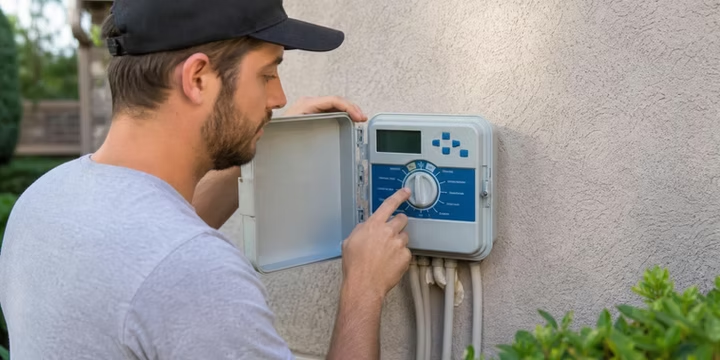
Before touching any buttons, figure out which controller you have. The model determines how many zones you can run, how long each zone can water, and whether you can upgrade to Wi-Fi control. Here are the three most common residential models:
X-Core: The entry-level residential controller. Handles up to 8 stations with 3 programs (A, B, C) and 4 start times per program. Maximum run time is 4 hours per zone. Simple dial-based programming.
Pro-C: A modular controller starting at 3 zones, expandable to 15 zones using PCM modules. Supports up to 6 hours of watering per zone (compared to the X-Core’s 4-hour limit). One forum user on TechGuy.org shared that after doing internet research, they discovered they didn’t need a new timer at all. They could have just added a modular expansion to their existing Pro-C. Understanding these terms before making hardware decisions saves money.
X2: The next generation of the X-Core. Keeps the familiar dial-based programming but adds the option to upgrade to cloud-based Hydrawise management by installing a WAND Wi-Fi module. If you want smart irrigation features without replacing the whole controller, the X2 is the bridge.
The model name is printed on the front panel of your controller. If you’re also adjusting heads while you’re at it, our guide on adjusting Hunter sprinkler heads covers arc, radius, and nozzle changes step by step.
Core Programming Terms: The Big Four
These four settings control 90% of what your Hunter sprinkler system does. Get these right and everything else is fine-tuning.
Program (A, B, C)
A program is a group of zones that share the same watering schedule. Most Hunter controllers have three separate programs labeled A, B, and C. Think of each program as an independent watering plan with its own days, start time, and assigned zones.
When you need multiple programs: Different plant types need different watering frequencies. Turfgrass might need water three days a week, while drip zones for shrubs only need two. Put your lawn zones on Program A (Monday, Wednesday, Friday) and your drip zones on Program B (Tuesday, Thursday). This is advice that comes up repeatedly from irrigation supply companies and professional installers.
When you don’t: If your entire yard is the same grass type on flat ground, Program A handles everything. Most homeowners never need Program B or C.
Start Time: The Setting That Causes the Most Trouble
A start time is the time of day when a program begins its watering cycle. That’s it. Not the time a single zone starts. The time the entire program kicks off.
This is the number one programming mistake on Hunter controllers. People enter a separate start time for each zone, thinking Zone 1 starts at 5:00 AM, Zone 2 at 5:15 AM, Zone 3 at 5:30 AM, and so on. That’s wrong. If you enter three start times, every zone assigned to that program will run three complete times through. Your system cycles once at 5:00 AM, again at 5:15 AM, and again at 5:30 AM.
Hunter’s own documentation states plainly: “Only one program start time is needed to run the cycle.”
The Pro-C makes this mistake especially costly. It has three programs, each capable of running up to four times per day. That’s a theoretical maximum of 12 full watering cycles in a single day. An irrigation professional from Sprinkler Doctor notes that they see this error on service calls constantly.
The rule: One start time per program. Set it and move on to run times.
Run Time (Station Run Time)
The run time is how many minutes each individual zone waters during a single cycle. The start time tells the controller when to begin. The run time tells each zone how long to water. One start time triggers the full cycle, and each zone runs for its assigned duration in sequence.
For example, if Program A has a start time of 5:00 AM and three zones with run times of 15, 10, and 20 minutes, Zone 1 runs 5:00 to 5:15, Zone 2 runs 5:15 to 5:25, and Zone 3 runs 5:25 to 5:45. You didn’t need three start times. You needed one.
Water Days
Water days determine which days of the week (or which pattern) the controller is allowed to run. Hunter controllers offer three options:
- Specific days of the week: You select Monday, Wednesday, Friday, or whatever combination you want.
- Odd/Even day watering: The controller waters on odd-numbered calendar dates (1st, 3rd, 5th) or even-numbered dates (2nd, 4th, 6th). Useful for areas with alternating-day restrictions.
- Interval watering: The controller waters at a set interval (every 2 days, every 3 days, etc.) regardless of which day of the week it falls on.
For Lubbock residents, specific days is the right choice. The city assigns watering days based on your address, so you need precise day-of-week control. More on this below.
Advanced Programming Features
Once the Big Four are set, these features let you fine-tune performance for West Texas conditions like clay soil, slopes, and summer heat.
Seasonal Adjustment
Seasonal adjustment changes all run times by a percentage without reprogramming each zone individually. Set it to 100% during your hottest month as your baseline. Then reduce it as temperatures drop.
Hunter’s example: if your peak-summer schedule calls for 10-minute run times, setting seasonal adjustment to 70% in May cuts every zone to 7 minutes automatically. The X2 adjusts in 5% increments from 10% to 200%. The Pro-C goes from 5% to 300%, giving professionals more range for commercial properties.
Practitioners report that failing to adjust between seasons is one of the most common causes of overwatering and underwatering. It takes 30 seconds on the dial and can meaningfully affect your water bill. According to the EPA, homeowners can save 20% to 50% by using smart irrigation controls, and seasonal adjustment is the simplest version of that.
Cycle and Soak
Cycle and Soak splits a zone’s run time into shorter watering periods with pauses in between. This is critical for slopes and the heavy clay soils common in West Texas, where water runs off before it can soak in.
Hunter’s official example: Station 1 needs 20 minutes of water, but runoff starts after 5 minutes and it takes 10 minutes for all the water to absorb. The solution is to program 20 minutes of total run time, 5 minutes for the cycle time, and 10 minutes for the soak time. The controller will water for 5 minutes, pause for 10, water for 5, pause for 10, and repeat until 20 minutes of actual watering is complete.
If your system has drainage or runoff problems, Cycle and Soak often fixes the issue without changing hardware.
Rain Delay (Programmable Rain Off)
Rain delay pauses all scheduled watering for a set number of days after a rainstorm. On the X2, this can be set from 1 to 99 days. The controller automatically returns to its normal schedule once the delay period ends. No need to remember to turn it back on.
Delay Between Stations
This feature adds a pause between the end of one zone’s run time and the start of the next, from 1 second up to 8 minutes. It’s useful if your system has low pressure and needs time for pipes to refill, or if you have a well pump that needs a brief recovery period between zones.
Sensors and Smart Features
These features move your system beyond simple clock-based programming into weather-responsive territory.
Rain/Freeze Sensor
An external sensor that overrides the controller to prevent watering during rain or freezing temperatures. Many Hunter controllers have a sensor terminal built in. When the sensor detects moisture or a temperature drop (typically below 37°F), it pauses all watering.
Important troubleshooting note: The rain sensor is one of the most common reasons a properly programmed Hunter system won’t run. If a rain delay is active or the sensor is still wet from a recent storm, your system will not water even if every other setting looks correct. Before assuming something is broken, check the sensor status on your controller display. If your sprinkler system won’t turn on, this is the first thing to check after verifying the dial position.
Solar Sync
Solar Sync is an ET (evapotranspiration) sensor that measures weather patterns, sunlight, and temperature, then automatically updates the controller’s seasonal adjustment value daily. Instead of manually changing the percentage each month, the Solar Sync does it for you based on actual conditions. It plugs into compatible Hunter controllers and requires no cloud connection.
Hydrawise and the WAND Wi-Fi Module
Hydrawise is Hunter’s cloud-based management platform. When you install a WAND Wi-Fi module in an X2 controller, all programming moves to the Hydrawise app on your smartphone, tablet, or desktop browser. The dial and buttons on the controller are disabled.
The key feature is Predictive Watering, which adjusts schedules based on local real-time temperature, rainfall probability, wind, and humidity. One user who upgraded from an X-Core to Hydrawise shared online that the old X-Core ran reliably for years but increasingly showed its limits due to the lack of Wi-Fi control, limited program options, and no weather connection, especially during extended absences or variable weather.
Replacing a standard clock-based controller with a WaterSense-labeled irrigation controller can save an average home up to 15,000 gallons of water annually.
Diagnostic and Utility Terms
These features help you test, troubleshoot, and protect your programming.
Manual Start / Test All Stations
Runs each station in numerical sequence from lowest to highest for a user-set duration. Essential for spring startup, checking coverage, and isolating problems. If a zone is skipping or not responding, a manual test quickly identifies which station is the issue.
QuickCheck
A one-button wiring diagnostic available on the X2 and similar models. QuickCheck tests each station’s field wiring and displays an ERR message when it detects a short on a particular station number. This tells you whether the problem is in the controller programming or in the wiring out in the yard.
Easy Retrieve
A manual backup utility that stores your complete controller schedule and setup in backup memory. If you accidentally reset the controller or lose power without a battery, Easy Retrieve lets you restore everything. A professional tip from Sprinkler Doctor: always take photos of your current settings before doing a factory reset. Resetting erases useful programming information and makes troubleshooting harder. Easy Retrieve is the digital version of that precaution.
Master Valve / Pump Start Relay
A master valve is a normally closed valve installed at the main supply point of the irrigation system. It only opens when the controller signals a zone to run. If your system has one, you must enable the master valve setting in the controller. If it’s not enabled, no water flows to any zone, period.
Zone / Station
A section of the irrigation system served by a single control valve. Each zone waters a different area of your property and can be programmed independently for run time within a program. Zones are numbered on the controller (Station 1, Station 2, etc.) and correspond to the valve wiring in your valve box.
Lubbock Watering Restrictions: How to Program Them on Your Hunter Controller
The City of Lubbock enforces spring and summer irrigation restrictions from April 1 through September 30. Here’s what the rules say and exactly which Hunter setting enforces each one.
Watering Days (Use “Specific Days” Mode)
Your allowed watering days depend on the last digit of your street address:
No watering on Sundays, ever.
Hunter setting: Turn the dial to “Set Watering Days.” Select only your two assigned days. Deselect all others.
Watering Hours (Set Your Start Time Carefully)
Irrigation is allowed only from midnight to 10:00 AM and from 6:00 PM to midnight. The best practice is an early morning start time, around 4:00 to 6:00 AM, so the cycle finishes well before the 10:00 AM cutoff.
Hunter setting: Set one start time per program during the legal window. Double-check AM versus PM. Setting 6:00 PM instead of 6:00 AM is an extremely common error that puts you in violation and wastes water during peak evaporation hours.
Weekly Limit (1.5 Inches Per Zone)
Residents should apply no more than 1.5 inches per zone per week. This means your run times need to match your sprinkler heads’ precipitation rate. Rotor zones typically put out 0.4 to 0.6 inches per hour. Spray zones put out 1.2 to 1.8 inches per hour. Adjust run times accordingly.
Rain Sensor (Mandatory Compliance)
Do not water during rain. A rain/freeze sensor connected to your Hunter controller handles this automatically. If you don’t have one installed, you’re relying on memory to pause the system every time it rains, and that’s a recipe for a city citation.
For a full seasonal checklist, including backflow testing and head inspection, see our spring sprinkler readiness guide.
Common Programming Mistakes: Quick-Fix Table
If your issue goes beyond programming, a full troubleshooting guide can help you diagnose mechanical and electrical problems.
When Programming Isn’t Enough
Understanding the vocabulary of programing a Hunter sprinkler system gets you most of the way there. But programming alone can’t fix a cracked pipe wasting 200 gallons a day, a valve that won’t close, or nozzles throwing water onto the sidewalk instead of the lawn. Experts estimate that as much as 50% of residential outdoor water is wasted due to inefficiencies in irrigation systems, not just bad schedules.
If you’d rather have seasonal programming, sensor installation, and system optimization handled by someone who knows Hunter controllers inside and out, M&M Sprinklers’ maintenance plans include seasonal runtime adjustments, coverage checks, and priority scheduling for Lubbock and surrounding West Texas communities.
Learn about seasonal maintenance plans
Frequently Asked Questions
How many start times do I need when programming a Hunter sprinkler system?
One. A single start time runs every zone assigned to that program in sequence. The only exception is when you intentionally want the entire cycle to repeat (for example, on slopes with Cycle and Soak unavailable), but even then, most homeowners should use Cycle and Soak instead.
What’s the difference between a program and a zone on a Hunter controller?
A zone (station) is a physical section of your irrigation system controlled by one valve. A program is a schedule that groups multiple zones under the same watering days and start time. You assign zones to programs, not the other way around.
Why does my Hunter sprinkler system run multiple times when I only set it to run once?
You almost certainly have multiple start times entered. Each start time triggers a complete cycle of every zone in that program. Go to “Set Watering Start Times,” check for additional times, and clear any you don’t need.
Can I upgrade my Hunter X-Core to Wi-Fi without replacing it?
Not directly. The X-Core doesn’t support the WAND Wi-Fi module. However, the X2 does, and it’s a straightforward swap since it uses the same wiring. If you want cloud-based Hydrawise control, the X2 is the upgrade path.
What happens to my Hunter controller settings during a power outage?
If you have a 9V backup battery installed, the clock and all programming are retained. Without a battery, the clock resets and you may lose your entire schedule. Check your battery at least once a year, ideally during your spring startup.
How do I know which watering days to program for my Lubbock address?
Look at the last digit of your street address. Addresses ending in 0, 3, 4, or 9 water Monday and Thursday. Addresses ending in 1, 5, or 6 water Tuesday and Friday. Addresses ending in 2, 7, or 8 water Wednesday and Saturday. Sunday watering is never allowed.
My Hunter controller shows everything is programmed correctly, but no zones run. What’s wrong?
Check three things in this order: (1) Is the dial in the RUN position, not OFF or a programming mode? (2) Is a rain delay active or a rain sensor still wet? (3) Is the master valve setting enabled if your system uses one? These three issues account for the vast majority of “won’t run” calls.
Is Seasonal Adjustment the same as changing run times?
Not exactly. Seasonal Adjustment applies a percentage multiplier to all run times at once. If you set run times for peak summer and then dial seasonal adjustment to 70% in spring, every zone automatically runs at 70% of its programmed time. It saves you from reprogramming each zone individually four times a year.